Pay Suppliers

Every received stock arrival is a bill. Its due date is the supplier’s invoice date (or the arrival date, depending on the supplier) plus their terms.

Pay a Bill

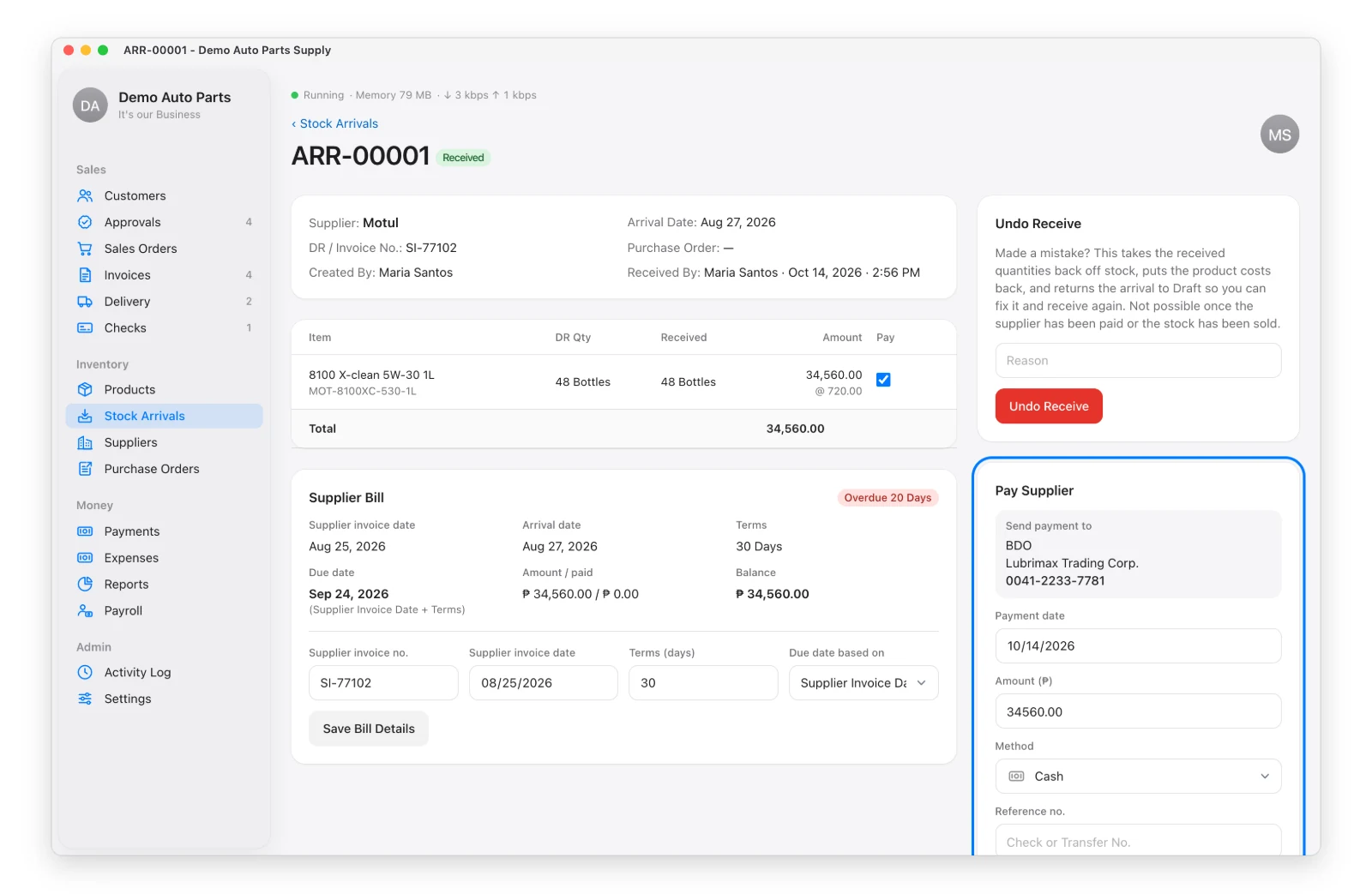
On the arrival, use Pay Supplier: date, amount, method and reference no. The supplier’s bank details are shown so you know where to send it.

The Pay Supplier card on a stock arrival

Issue a Post-Dated Check

Choose method Check with a later date — the check is pending until you Mark Cleared on the Checks page. The bill shows “Check Issued” and isn’t overdue meanwhile.
What You Owe

Reports → Accounts Payable:

View Shows
All Payables Every unpaid bill with its due date
Due This Month What to pay this month, including overdue
By Supplier Aging per supplier
Checks Issued Your checks by date — pending, due today, cleared
BIR Taxes Estimated VAT or percentage tax per quarter

See Also


Back to top

Not all features are available in every copy of Distribution App. Some features, such as Payment QR Code, Salesman Locations and Signed Delivery Receipts, are add-ons that must first be switched on in Settings › Features. Once the free trial ends, the app needs a license key or activation code. Distribution App runs on Mac and Windows; staff phones and tablets connect through the office computer on the same Wi-Fi network. Tax records, receipts and reports follow Philippine (BIR) rules and may not suit businesses in other countries. Screens in this guide show the Demo Company — all names, addresses and prices are made up — and may look slightly different from your version of the app. Features may change without notice. Learn more at github.com/totoantonio/DistributionApp. Copyright © 2026 totoantonio. All rights reserved.