Payroll
Payroll (admin only) works out your people’s pay twice a month: the 1st–15th and the 16th–end of month.
1. Add Employees
Payroll → Add Employee: name, position, contact and emergency contact, monthly salary or daily rate, TIN, SSS, PhilHealth and Pag-IBIG numbers, and a photo. You can also give them an app login.
2. Prepare a Payroll
Prepare the cut-off. The app works out each person’s pay and deductions: SSS, PhilHealth, Pag-IBIG and withholding tax.
Type any absences, then Recompute.
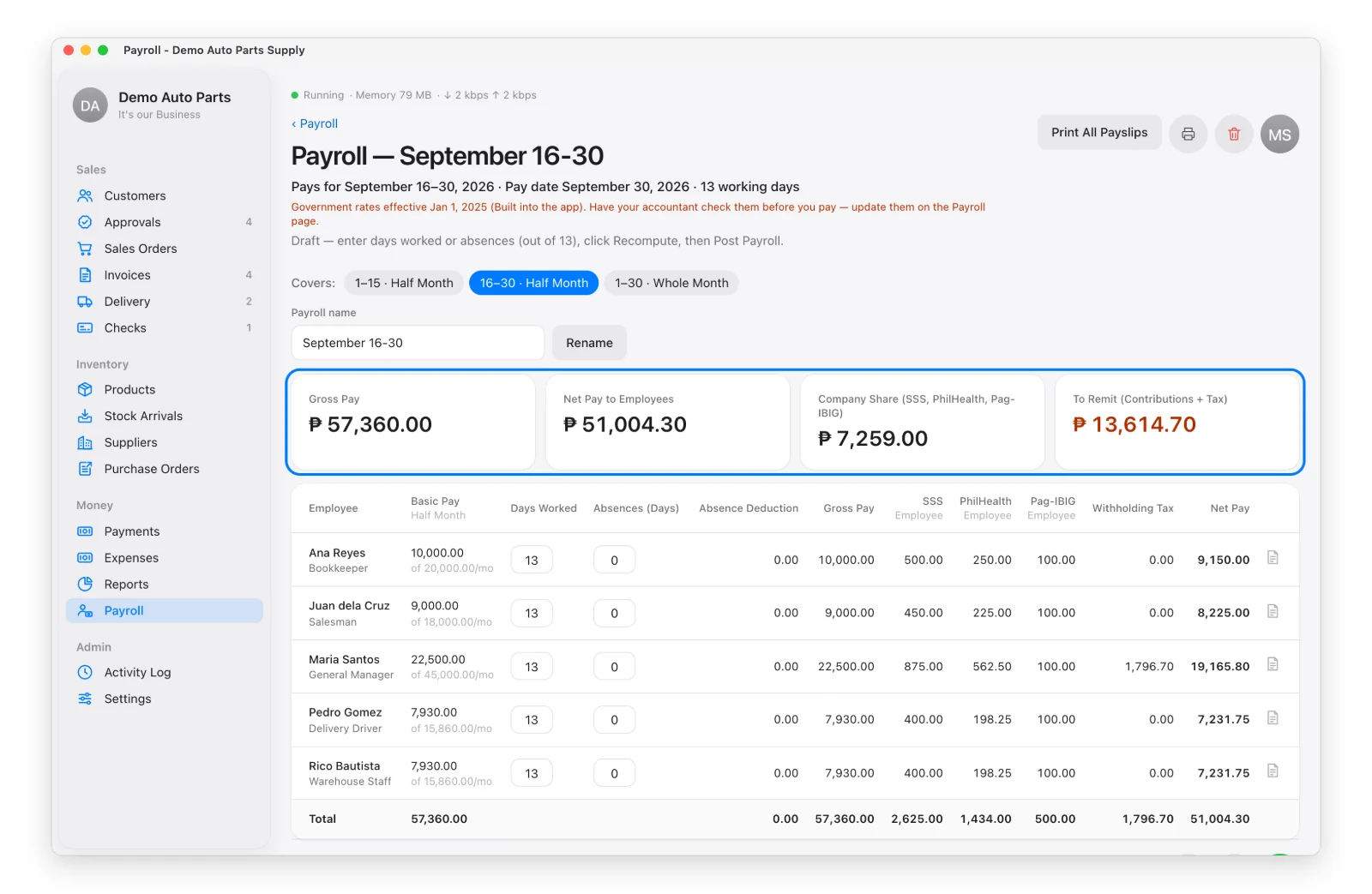
3. Post It
Post locks the payroll and records the salaries and employer contributions as expenses. Print the payslips — one A4 page per employee.
Found a mistake after posting? Reopen for Editing (reason required) removes those expenses and returns it to Draft.
Government Rates
The SSS, PhilHealth, Pag-IBIG and BIR tables can be updated when the government changes them: Payroll → Government Rates → Edit. Each change starts on the date you choose and needs a source note. The page links to the official sites.