Products
Add a Product
Go to Products → add a product. Fill in:
- Name, part number, brand and supplier
- Unit — the single unit you count in (Pc, Can, Bottle, Set…)
- Case (optional) — e.g. Box of 12. Orders can then be entered in cases.
- SRP, cost and selling price
- Reorder level, MOQ and ideal stock days — used by suggested purchase orders
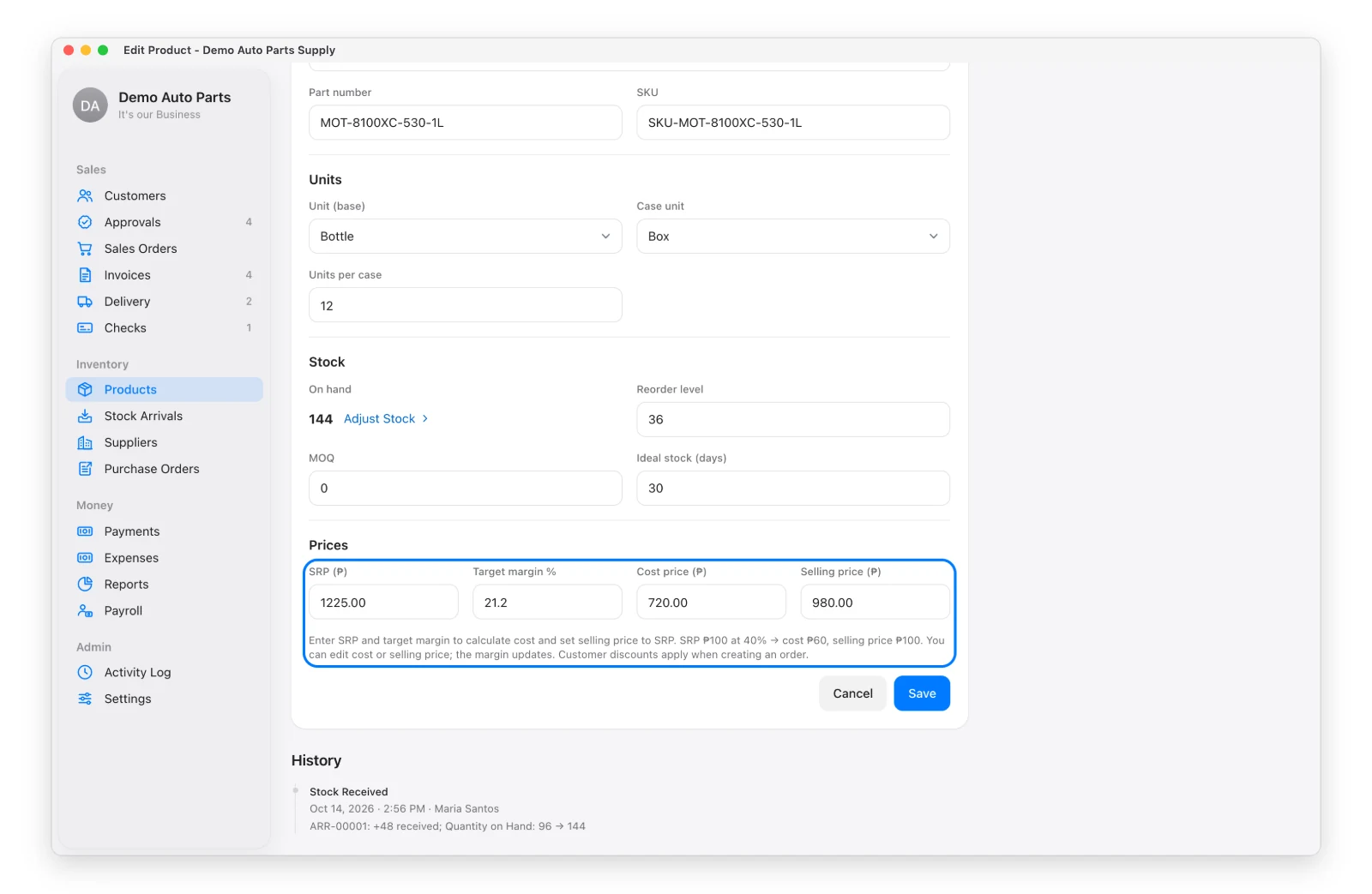
Stock, costs and prices are always per single unit. Cases are only a shortcut for entering and showing quantities — “2 Boxes (24 Cans)”.
Price Helper
Type the SRP and a target margin — the app fills in the cost and selling price. Example: ₱100 SRP and 40% margin → ₱60 cost, ₱100 selling price.
Import a Price List
Have a supplier’s price list as PDF, Excel or CSV? Products → Import Price List reads it, shows a preview (remove rows you don’t want) and imports. Existing products (matched by part number) get the new SRP and cost; new ones are added with zero stock.
Change Stock
Stock isn’t typed on the product form. It changes only through sales, stock arrivals, returns, Adjust Stock (with a reason) or a Stock Count — so every change has a record.
Who Sees Costs
Cost and margins show only to people allowed to see costs. Salesmen see the SRP only.