Invoices and Delivery
The Invoice
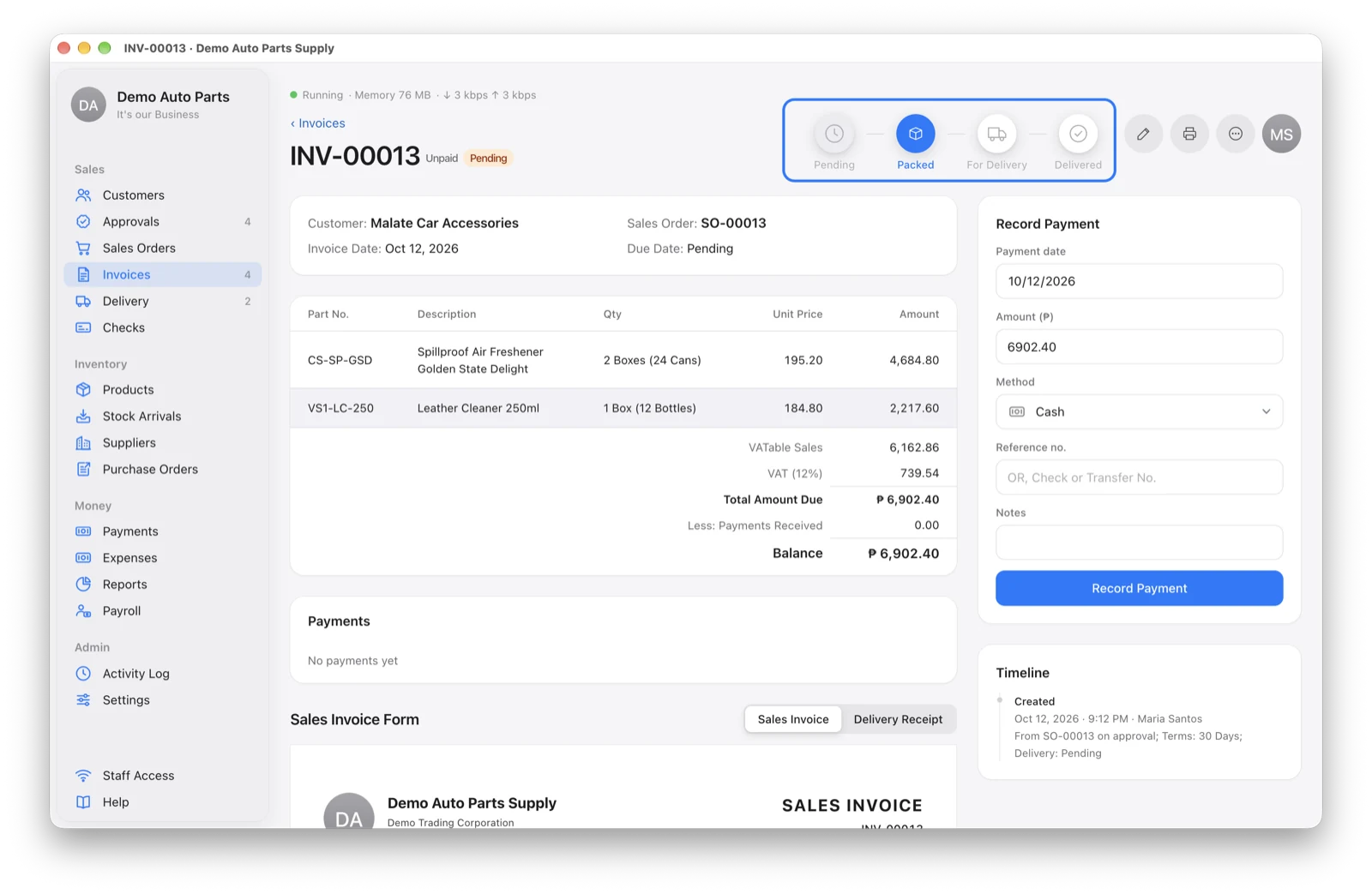
Every approved order gets an invoice (INV-00001) automatically. Open it from Invoices to see the items, payments, delivery steps and the printable Sales Invoice.
Payment terms count from delivery. Until the goods are delivered, the invoice shows “After Delivery” and can’t become overdue.
Pack and Ship
Delivery moves one step at a time on the invoice page:
Pending → Packed → For Delivery → Delivered
Warehouse staff click the next step as they go. The Invoices count in the sidebar shows how many are waiting to be packed.
The Delivery Page
Drivers use the Delivery page in the sidebar. It lists every invoice ready to go, with its delivery instructions and a green round Mark Delivered button (✓). Marking an invoice delivered sets its due date: the delivery date plus the customer’s terms.
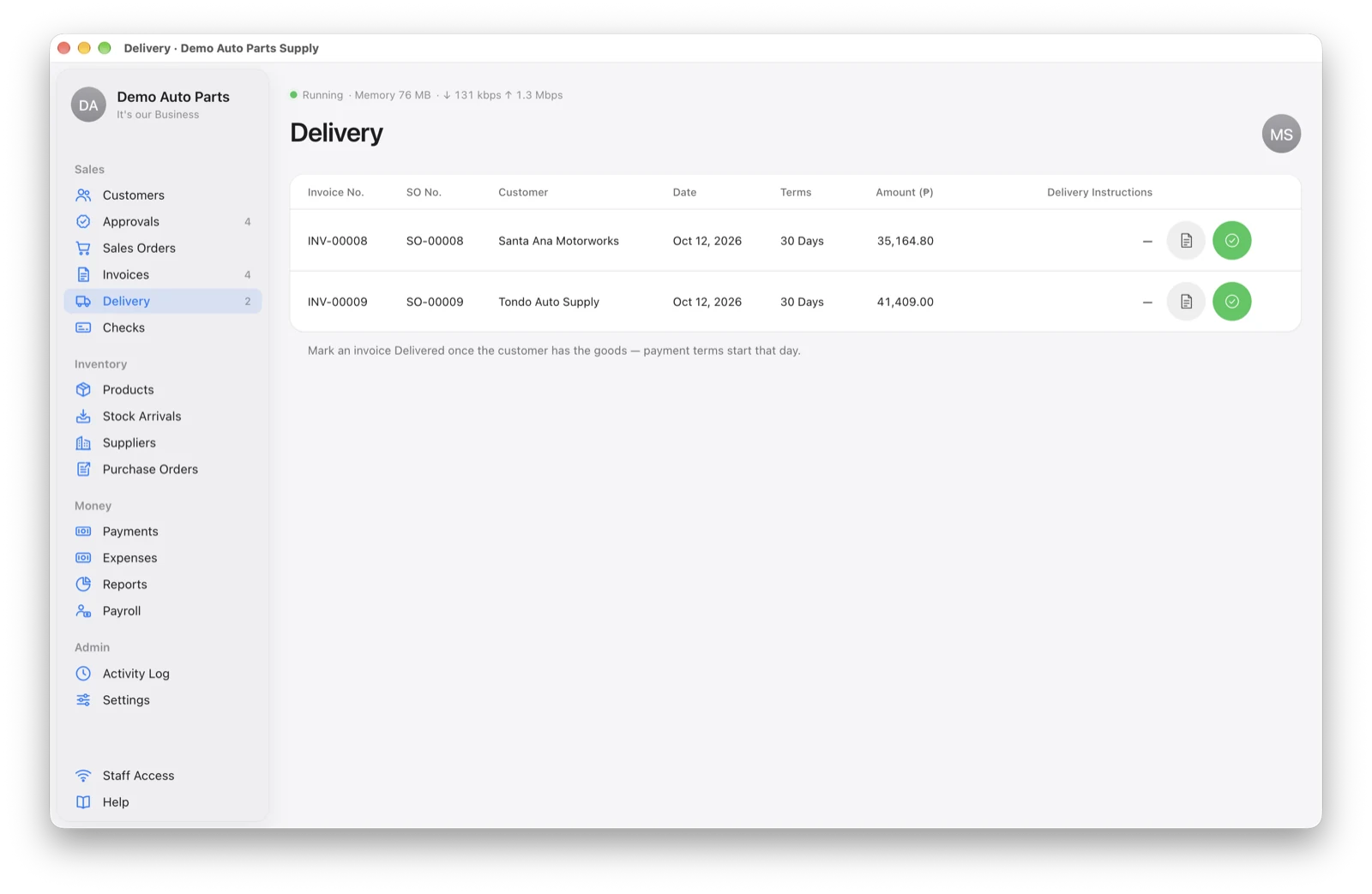
A Delivery login sees only this page and nothing else in the app.
Print the Invoice or Delivery Receipt
On the invoice page, switch between Sales Invoice and Delivery Receipt, then click the printer. Both print on A4 with your company details. Drivers can open the Delivery Receipt from their Delivery page.
Signed Delivery Receipts (Add-on)
With this add-on turned on in Settings → Features, the Delivery page lists recent deliveries, each with a paperclip. Take a photo of the signed receipt (or choose a file), and it’s kept with the invoice.
Editing an Invoice
Notes can always change. The date and terms lock once the invoice is delivered or has a payment — after that only the admin can change them, with a reason.