Users and Permissions
Roles
| Role | Can Do |
|---|---|
| Admin | Everything, including Settings, approving customers, payroll and removing records |
| Staff | Only what the admin ticks for them |
| Salesman | Their own customers, orders and performance — no costs, suppliers or company-wide reports |
| Delivery | Only the Delivery page: Mark Delivered and the Delivery Receipt |
Add a User
Settings → Users & Permissions → add a user: username, password, role. For staff, tick what they may do, grouped by area (sales, payments, stock, reports…). Hover over a permission to see what it allows.
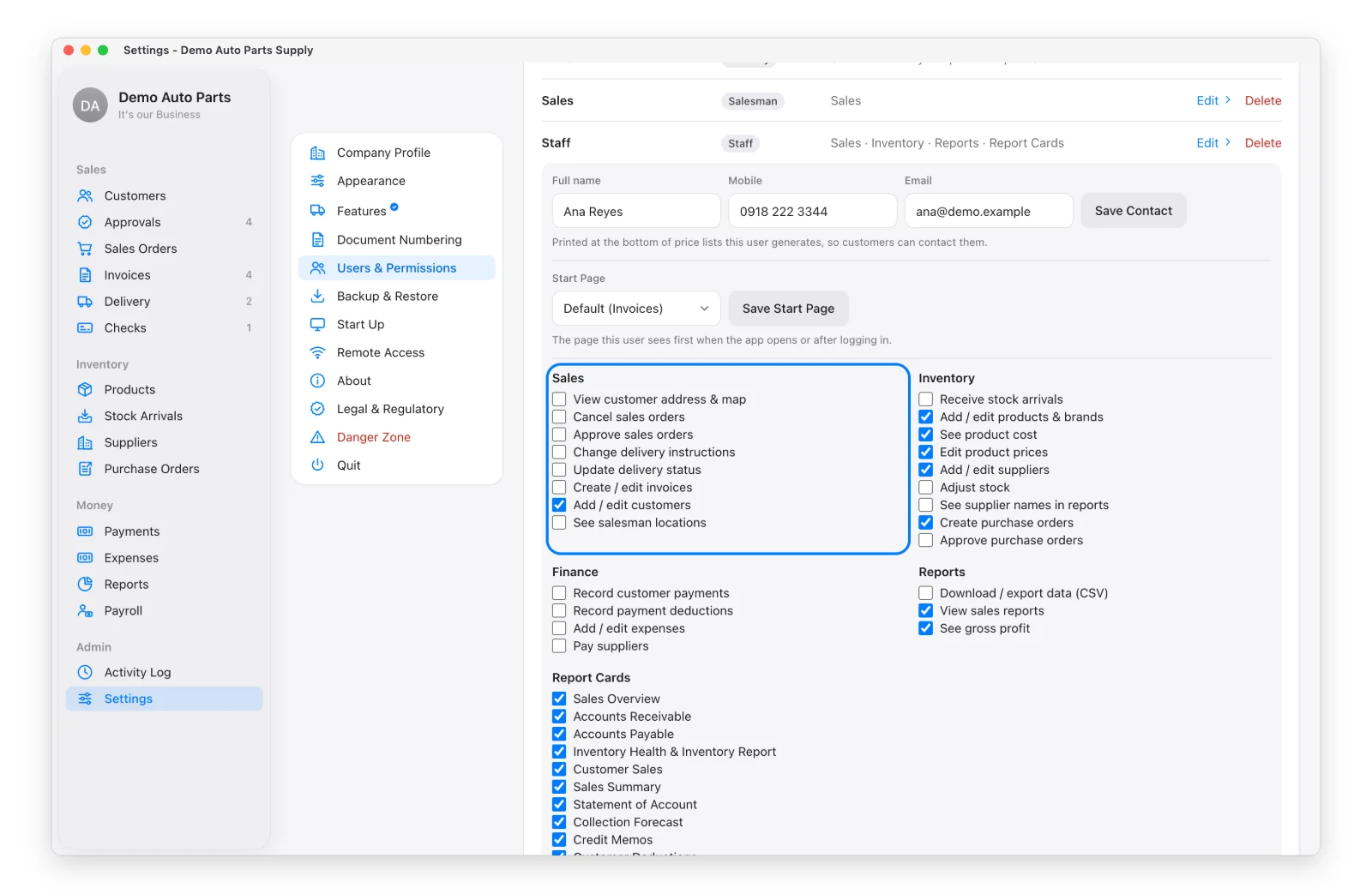
Your plan sets how many users can be active: Startup 3, Enterprise 10, Superuser 20.
Start Page
Open a user to choose the page they see after signing in — e.g. Stock Arrivals for the warehouse.
Review Permissions
Review Permissions shows every permission against every user in one table. Click a box to give or take a permission.
Someone Leaves
Deactivate the user — they’re signed out everywhere and can’t sign in. Their past work stays in the records and the Activity Log.
Every change in the app is kept in the Activity Log (Admin → Activity Log): who, when, from which device, and what changed. It can’t be edited or deleted.