Approvals
The Approvals page collects everything waiting for a decision: sales orders, purchase orders, new customers and payment deductions. The sidebar shows how many are waiting.
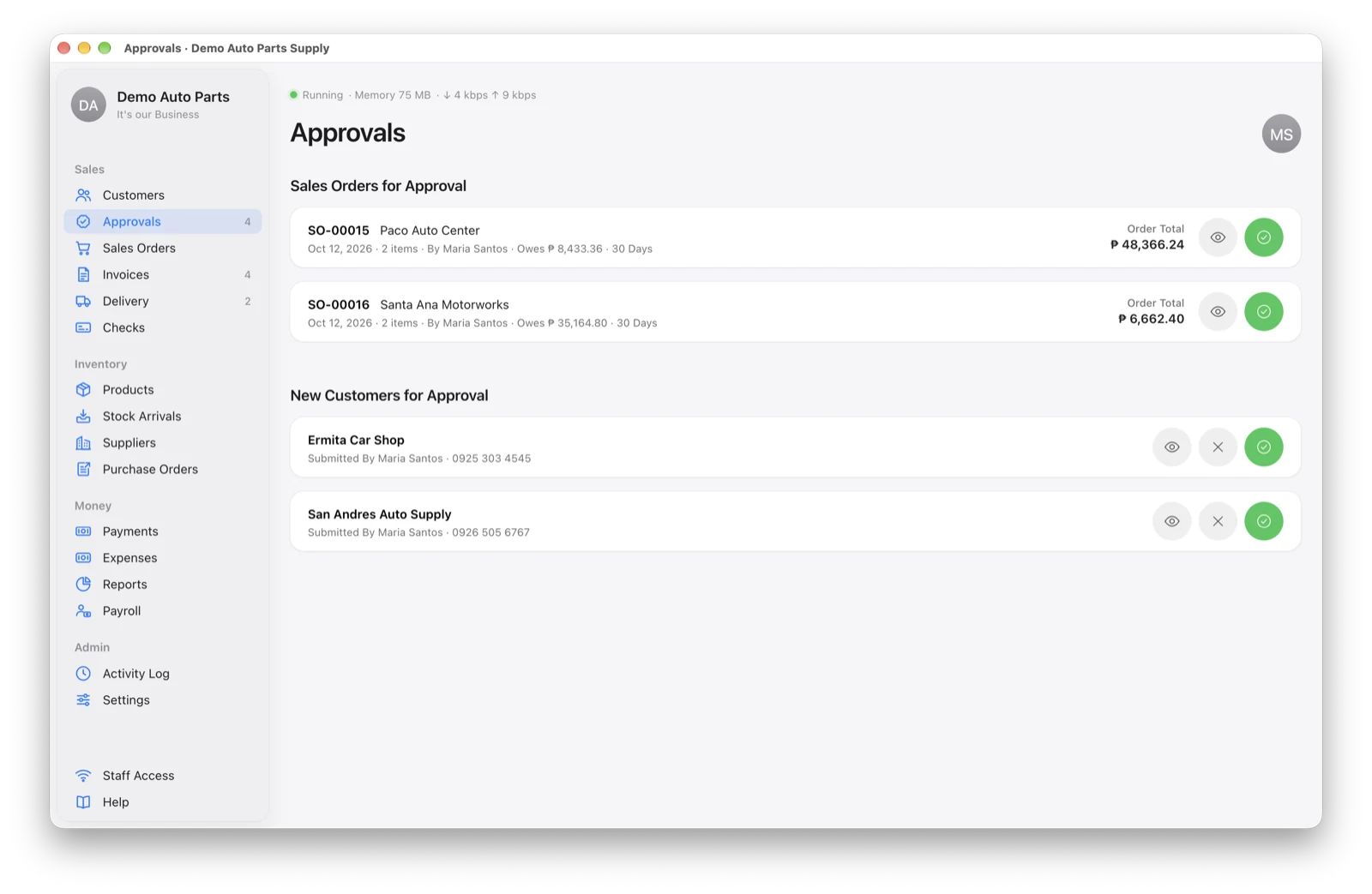
Approve a Sales Order
Open the order from Approvals and choose:
- Approve — the app checks the customer’s credit and your stock, takes the stock, and makes the invoice automatically.
- Return for Changes — back to Draft with your note, so the writer can fix it.
- Reject / Cancel — the order is stopped.
Approval is refused if the customer is on credit hold or there isn’t enough stock. When two orders want the same last items, the first one approved gets them.
Hear New Approvals
When something new arrives, approvers hear a soft chime and see “● New Approval” in the browser tab. On a computer you can turn on My Account → Desktop Notifications to get the Mac or Windows alert sound instead.
Not hearing anything? See My Account → Notifications → “Not hearing new approvals?” for the steps for your browser.
Who Can Approve
Admins approve everything. Staff can approve sales orders only if the admin gives them permission to approve orders in Settings → Users & Permissions.