Deductions
Sometimes a customer pays less than the invoice amount and tells you why. Record that as a deduction on the Receive Payment page so the invoice closes properly.
Types
| Type | When | Reference |
|---|---|---|
| Withholding Tax | The customer withheld tax and paid it to BIR for you | BIR Form 2307 |
| Wrong Pricing | The invoice price was wrong | Their debit memo |
| Support | Agreed support, e.g. a promo allowance | Their debit memo |
Add a Deduction
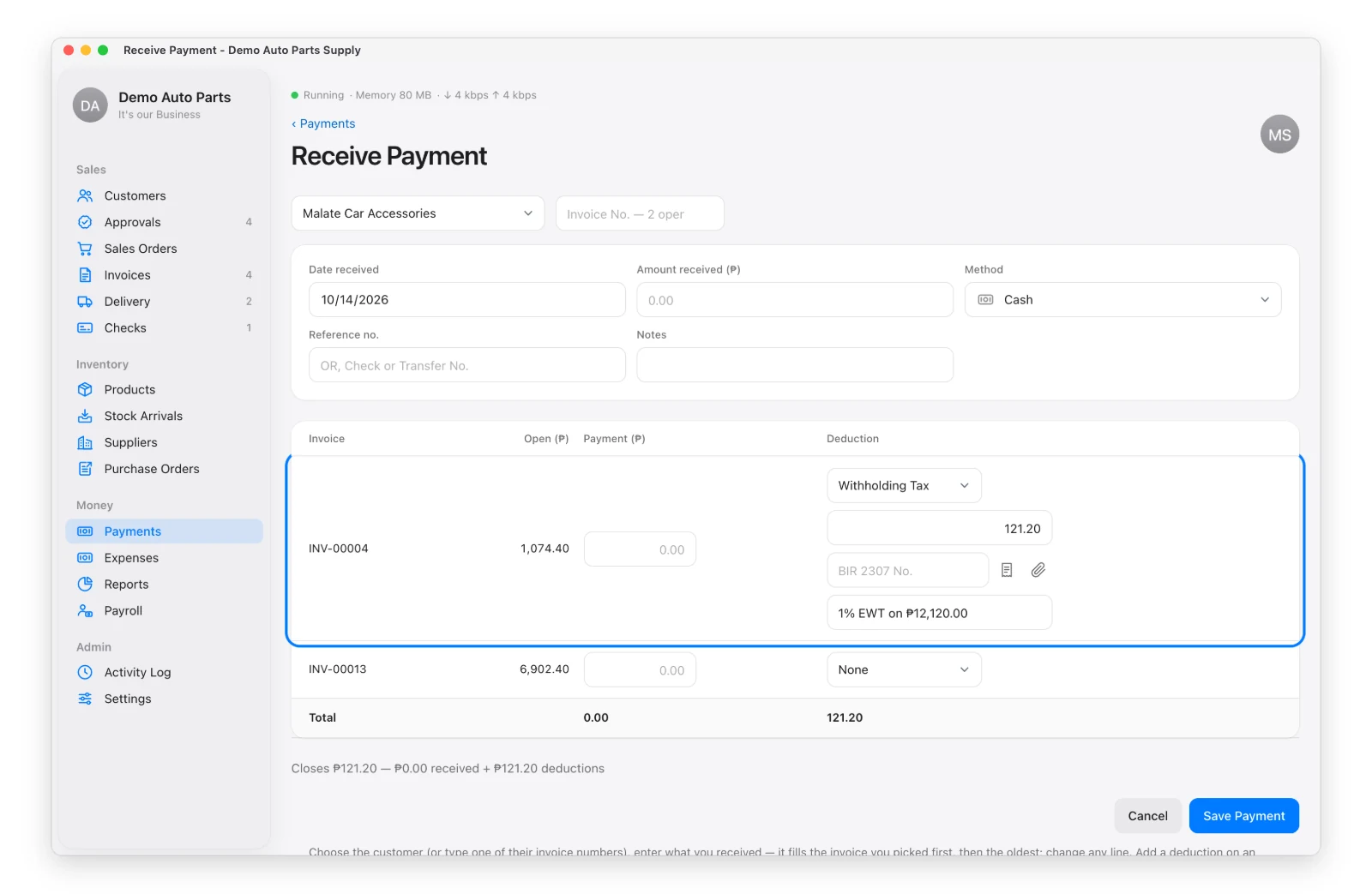
On Receive Payment, beside the invoice, pick the deduction type, type the amount, the reference no. and a reason.
- Admin — the deduction applies right away.
- Staff (with permission to record deductions) — it waits on the Approvals page. If the admin rejects it, the amount stays owed.
No Debit Memo From the Customer?
Some customers don’t send a debit memo. They just tell your office about the deduction. In that case, click the document icon beside the reference box to make an In-house Debit Memo (DM-00001). The app fills in the customer, invoice, type and amount, and gives you a printable form for the customer to sign.
Have the customer’s own debit memo? Click the paperclip to attach a photo or PDF of it.
Where Deductions Show
On the invoice, the Statement of Account (own column) and Reports → Sales → Customer Deductions.
Withholding tax is money the customer paid to BIR on your behalf, so it counts toward your BIR estimate. Wrong pricing lowers your sales, and support is recorded as an expense.