Post-Dated Checks
A post-dated check is not money yet. The app holds it as Pending until it clears.
Receive a Check
Record the payment with method Check, the bank and the check date:
- Dated today or earlier — saved as a payment right away.
- Dated later — saved as a pending check. The invoice balance doesn’t change, but an invoice fully covered by checks isn’t shown as overdue.
The Checks Page
Checks in the sidebar lists every pending check — from customers and the ones you issued to suppliers. The number beside it counts checks dated tomorrow or earlier, so you get a day’s notice to deposit them.
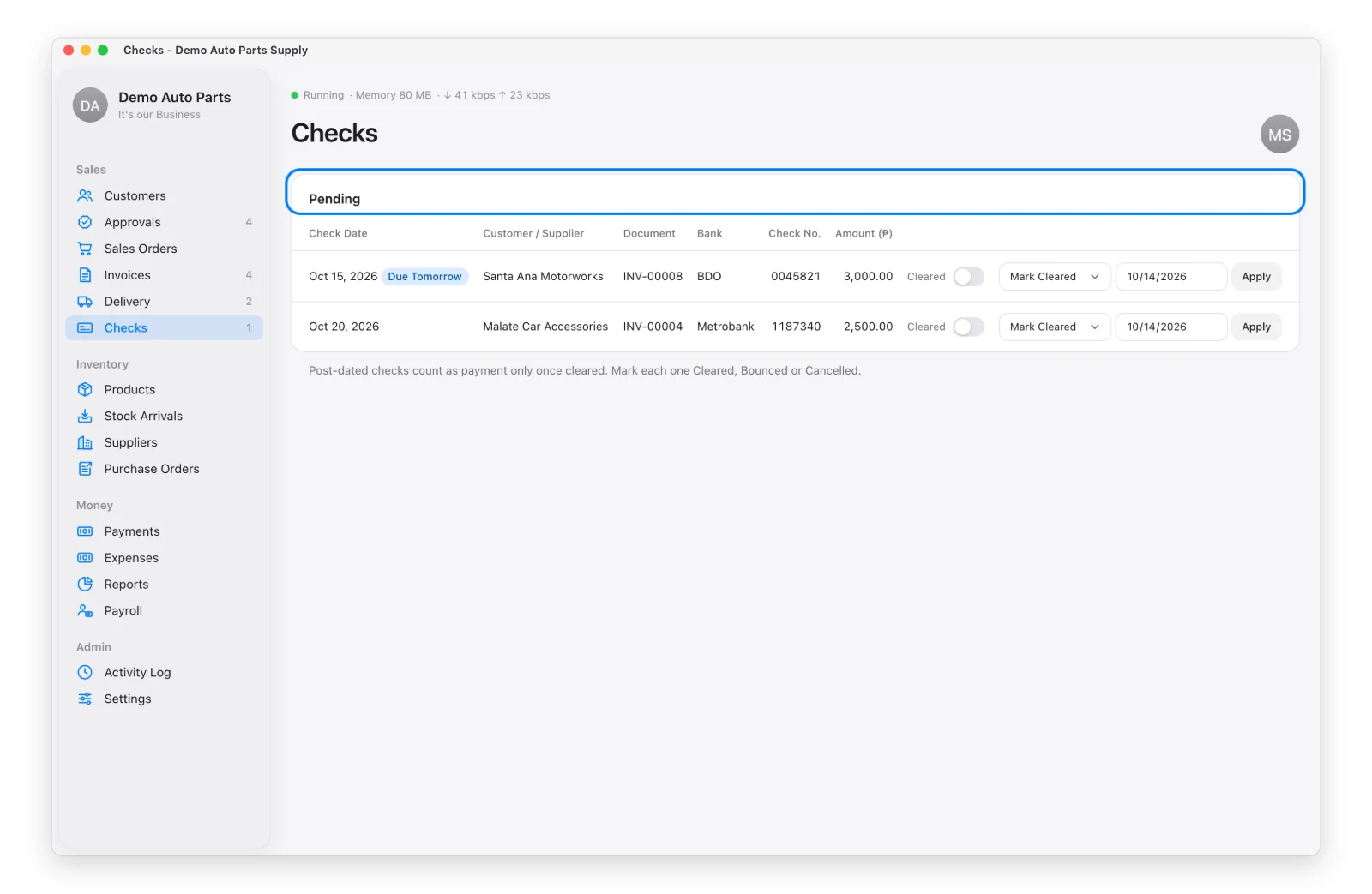
For each pending check, pick an action:
| Action | What Happens |
|---|---|
| Mark Cleared | Becomes a real payment, dated the day it cleared |
| Bounced | Stays unpaid and the customer goes on credit hold |
| Cancel Check | The check was replaced or given back — no hold |
A customer whose check bounced stays on hold until the admin clicks Remove Credit Hold on the customer page (reason required).